What Dark Web Search Engines Actually Are
A dark web search engine is a website running on an onion address that indexes content from other .onion sites and lets you search across them. Unlike Google, these engines crawl only the Tor network and return results from hidden services. The most widely known examples include Torch, Ahmia, and Grams, though their status and availability change over time. These are not applications you install; they are web services you visit through Tor Browser. When you search on one, your query goes to that onion site's server, which then returns results. This is fundamentally different from downloading a standalone tool. Understanding this distinction prevents confusion and keeps you from falling for fake download links that bundle malware or spyware.
How Search Indexing Works on Tor
Dark web search engines use automated crawlers that follow links from one onion site to another, collecting page titles, descriptions and keywords. These crawlers respect robots.txt files and other signals from site operators who want to be indexed or hidden. The indexing process is slower than on the regular web because Tor connections are deliberately latent for privacy, and many onion sites are intentionally hard to find. Results are typically less comprehensive than a general web search because many hidden services do not want to be discovered through search. When you submit a query, the search engine matches your terms against its index and ranks results by relevance or other criteria. This means a dark web search engine is only as useful as the sites it has already found and indexed, which creates gaps and outdated listings.
Accessing Search Engines Through Tor Browser
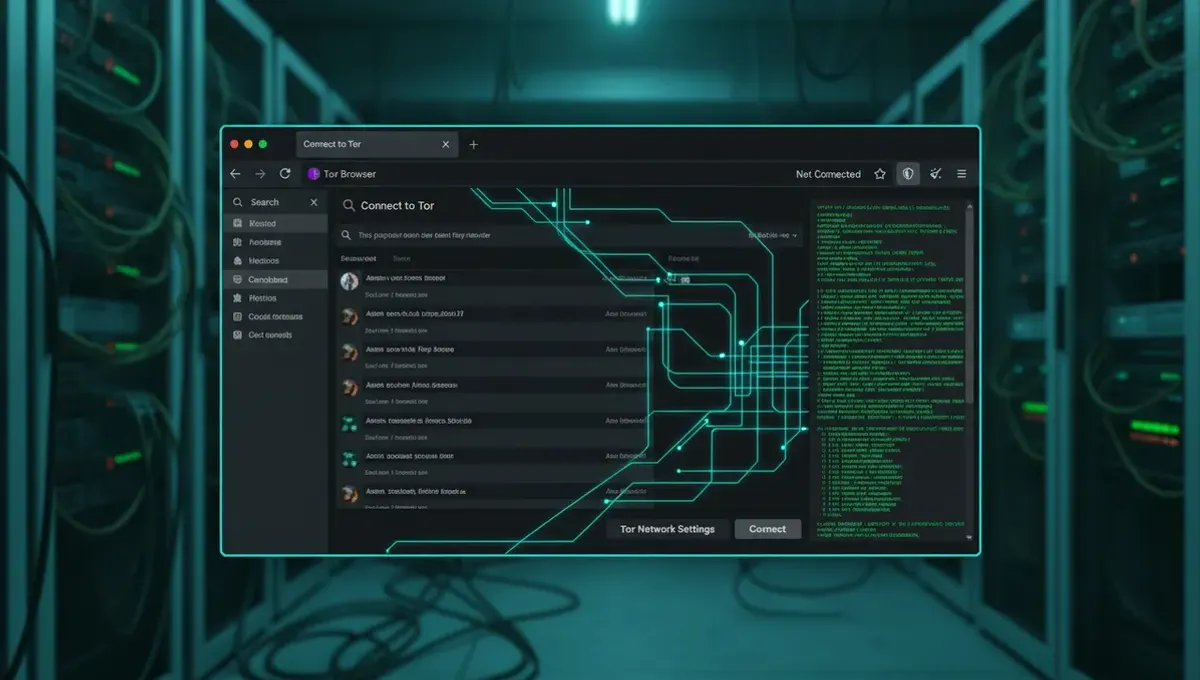
To use a dark web search engine, you need Tor Browser installed and running. Open Tor Browser, wait for it to connect to the Tor network, then visit the onion address of the search engine you want to use. The address will look like a long string of random letters and numbers followed by .onion. Type the address into the address bar, press Enter, and the site will load. Once you are on the search engine's homepage, you can type your query into the search box and press Enter or click the search button. Results will appear as a list of links, each pointing to another onion site. Clicking a result will take you to that site through Tor. The entire process happens over encrypted Tor circuits, so your search queries and the sites you visit are not visible to your internet service provider or network administrator.
Verifying Real Addresses and Avoiding Phishing Clones
Phishing is the most common attack against dark web search engine users. Attackers create fake onion sites with similar names or addresses and trick users into visiting them instead of the real service. Once you are on a phishing clone, your searches, credentials, or other data can be captured. To verify a real address, look for PGP-signed announcements from the search engine operator on trusted forums or the Useful Resources page of this site. Many legitimate onion services publish their official address in multiple places and sign messages with a consistent PGP key. Write down the correct address and bookmark it in Tor Browser so you do not have to type it manually each time. If an address looks slightly different from what you remember, do not use it. If a site asks you to download software or enter personal information, it is almost certainly a phishing clone.
Why Most Searches Happen In-Browser, Not Downloaded
You may have searched for a dark web search engine download because you expected to find a standalone application. This does not exist for legitimate reasons. A downloadable dark web search engine would need to run on your computer and connect to Tor, which creates security and privacy risks. It could be compromised, could leak your queries to the operator, or could contain malware. Accessing search engines through Tor Browser in a browser tab is safer because the Tor Browser developers maintain the software, and your connection is routed through multiple Tor relays. Additionally, a downloaded application would become outdated quickly, whereas a web-based search engine is updated by its operator without requiring you to download anything new. This is why the Tor Project and security researchers recommend using search engines as onion sites rather than as downloadable tools.
Reality Check: How These Services Actually Behave
According to Tor Project documentation, onion services can be shut down, seized by law enforcement, or abandoned by their operators without warning. This means a search engine you use today may not exist next week. Some search engines have been seized by law enforcement in the past, and others have been exit scams where the operator disappeared with user data or cryptocurrency. Academic research on onion services shows that search engine indexes are often incomplete and contain outdated links, which frustrates users and can lead them to click on phishing sites or inactive addresses. Security-vendor incident reports document cases where users downloaded fake search engine tools from unverified sources and unknowingly installed malware. For these reasons, you should never trust a single search engine and should verify any address before visiting it. Assume that any search result could be a phishing clone or a honeypot, and use additional verification methods such as checking PGP signatures or cross-referencing addresses on multiple trusted sources.
Safe Search Practices and Next Steps
To search the dark web safely, start by ensuring your Tor Browser is up to date and that you are using the official version from the Tor Project website. Never download Tor Browser from any other source. Before visiting a search engine, verify its onion address through the Useful Resources page of this site or through PGP-signed announcements from the operator. Use a search engine only to find information, not to browse marketplaces or services that could expose you to illegal content or scams. Keep your operating system and all software patched and updated. Consider using a dedicated virtual machine or a privacy-focused operating system like Tails when accessing the dark web. If you find a search result that looks suspicious, do not click it. If a site asks you to download software, enable JavaScript, or enter credentials, close the tab and verify the address again. Your next step is to bookmark the official addresses of one or two search engines you trust, then test them by searching for a neutral topic like a news organization or a technology project to confirm they are working correctly.
Common Questions
Can I download a dark web search engine as an app
No. Legitimate dark web search engines are websites you access through Tor Browser, not downloadable applications. Any tool claiming to be a downloadable dark web search engine is likely malware or a scam. Access search engines by visiting their onion addresses in your browser instead.
What is the best dark web search engine address
The most widely used search engines include Torch and Ahmia, but their addresses and availability change. Never rely on a single source for an address. Verify the current official address through the Useful Resources page of this site or through PGP-signed announcements from the operator before visiting.
Is it safe to use a dark web search engine
Using a search engine through Tor Browser is relatively safe if you verify the address first and do not click suspicious results. The main risks are phishing clones, outdated links, and malicious sites in the search results. Keep your Tor Browser updated and never download software or enter personal information on search engine sites.
Why do dark web search engines have so few results
Many onion sites do not want to be indexed and block search crawlers. Others are intentionally hidden and only accessible through direct links or invitations. Search engine indexes are also incomplete because crawlers move slowly on Tor and many sites go offline frequently, leaving dead links in the index.
How do I know if a dark web search engine is real or a phishing clone
Check the onion address against verified sources such as PGP-signed announcements or the Useful Resources page of this site. Bookmark the correct address so you do not have to type it manually. If a site asks you to download software or looks different from what you expect, it is likely a phishing clone. Do not use it.